Overview
A local web server on the ESP32 lets you adjust an LED’s brightness from any browser on the same WiFi network. It combines WiFi communication, a simple web interface, and PWM dimming.
System Architecture
The ESP32 acts as both a WiFi client and a web server.
Hardware
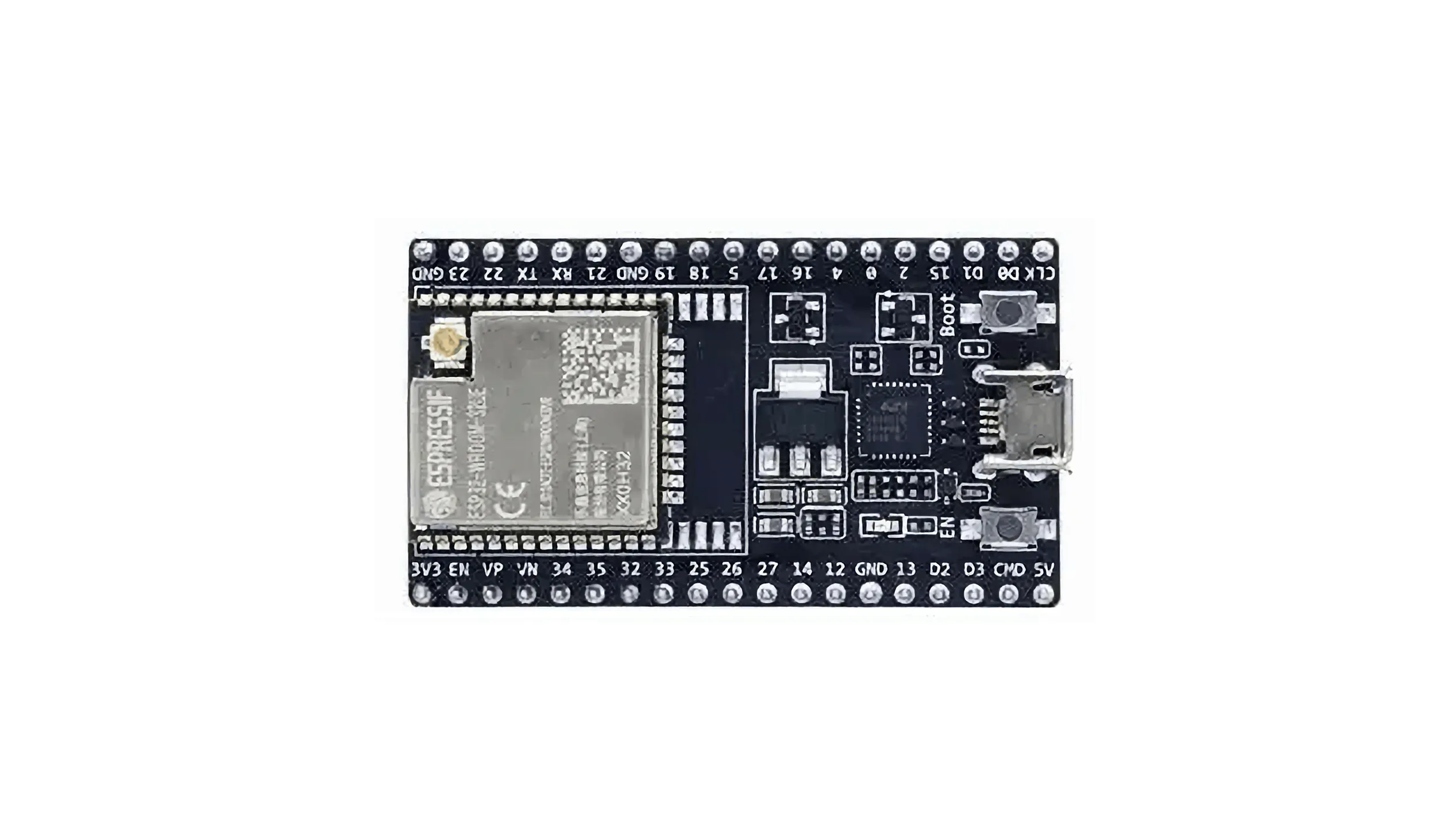
- ESP32-WROOM-32 development board
- Built-in LED (GPIO 2)
- USB cable
Software
Environment: Arduino IDE with ESP32 Arduino Core
Libraries:
#include <WiFi.h>
#include <WebServer.h>
Implementation
WiFi Web Server
The ESP32 connects to your local WiFi and serves a control page.
Devices on the same network can open the assigned IP address, e.g., http://192.168.x.x/.
PWM Brightness Control
Brightness uses PWM with an 8-bit resolution (0–255 maps to 0%–100%).
The web slider sends an HTTP request to change the duty cycle:
Browser → /set?value=brightness → ESP32 PWM output
Testing
- Upload the sketch.
- Open the Serial Monitor and note the IP shown after connection.
- Navigate to that IP in a browser.
- Move the slider to change LED brightness.
Result
The ESP32 connects, serves the interface, receives HTTP brightness values, and drives the LED via PWM. The whole chain—hardware, network, interface, physical output—works as expected and provides a base for more interactive IoT projects.
Full Code
#include <WiFi.h>
#include <WebServer.h>

// Replace with your WiFi credentials
const char* ssid = "WIFI-NAME";
const char* password = "WIFI-PASSWORD";

WebServer server(80);

// LED pin
#define LED_PIN 2

// PWM settings
#define PWM_CHANNEL 0
#define PWM_FREQ 5000
#define PWM_RESOLUTION 8   // 8-bit = 0–255

void setup() {
  Serial.begin(115200);

  // Configure PWM
  ledcAttach(LED_PIN, PWM_FREQ, PWM_RESOLUTION);
  // Start at 50% brightness
  ledcWrite(PWM_CHANNEL, 128);

  // Connect to WiFi
  WiFi.begin(ssid, password);
  Serial.print("Connecting to WiFi");
  while (WiFi.status() != WL_CONNECTED) {
    delay(500);
    Serial.print(".");
  }
  Serial.println();
  Serial.println("WiFi connected");
  Serial.print("IP address: ");
  Serial.println(WiFi.localIP());

  // Home page
  server.on("/", []() {
    String html = R"rawliteral(
<!DOCTYPE html>
<html>
<head>
  <meta charset="utf-8">
  <title>ESP32 LED Control</title>
  <style>
    body { text-align: center; font-family: Arial; }
    input { width: 80%; }
  </style>
</head>
<body>
  <h1>ESP32 LED Control</h1>
  <h2>Brightness Control</h2>
  <input type="range" min="0" max="255" value="128" id="brightness"
         oninput="changeBrightness(this.value)">
  <p>Current Brightness: <span id="value">128</span></p>
  <script>
    function changeBrightness(value) {
      document.getElementById("value").innerHTML = value;
      fetch("/set?value=" + value);
    }
  </script>
</body>
</html>
    )rawliteral";
    server.send(200, "text/html; charset=utf-8", html);
  });

  // Handle brightness updates
  server.on("/set", []() {
    if (server.hasArg("value")) {
      int brightness = server.arg("value").toInt();
      ledcWrite(LED_PIN, brightness);
      Serial.print("Brightness: ");
      Serial.println(brightness);
    }
    server.send(200, "text/plain", "OK");
  });

  server.begin();
  Serial.println("Web server started");
}

void loop() {
  server.handleClient();
}